
Vanuatu Music lets you download full albums to your phone and listen without internet. Once an album finishes downloading, it stays in My Music for offline playback. 1. Get an album access code Contact the artist or band through their official Facebook page to buy an album access code. Prices are set by each artist, with many albums costing around 2,000 VT. 2. Browse albums and enter code Open Vanuatu Music, tap Browse Albums , and select the album you purchased. Tap Preview , choose Enter code , and carefully type your album access code. Keep your access code private. Never post it publicly or send it to anyone except through the official activation screen. 3. Download album After the code is accepted, tap Download . Keep the app open and stay connected to internet until every track has finished downloading. 4. Find album in My Music When download is complete, open My Music . Your album will appear under Downloaded and can be played without internet. Tips for successful downloads Use a stable Wi-Fi or mobile-data connection for first download. Check that your phone has enough free storage. Keep Vanuatu Music open until download completes. If an album is missing, refresh My Music while connected to internet. After downloading, take music blong yumi wherever you go—on the road, between islands, or anywhere mobile coverage is limited.
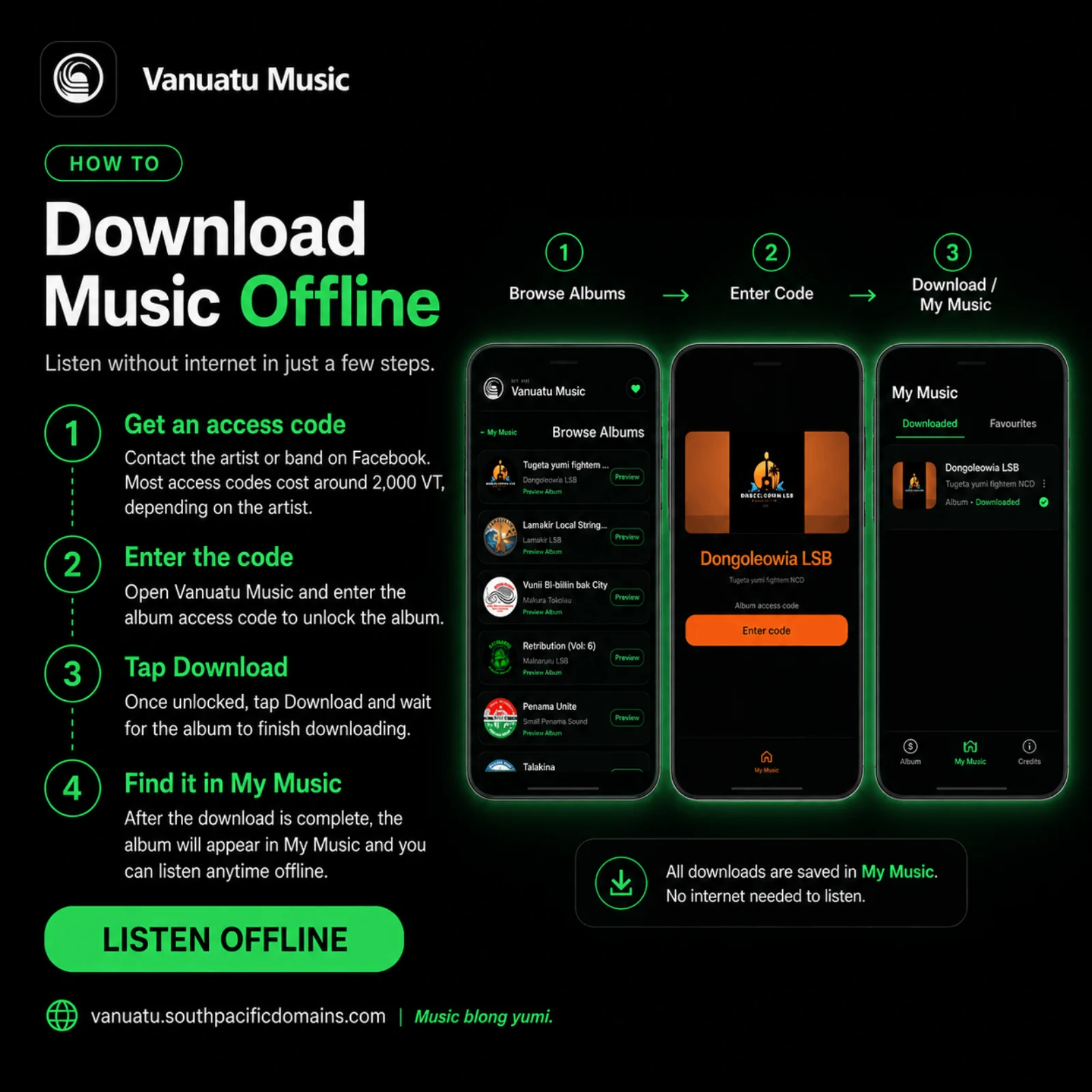
How to Download Music and Listen Offline
Get an album access code, download your music, and listen anywhere without an internet connection.